

🗺️ Dofus-Map FlatyCreator - trip creation

    Publicités

Users Who Are Viewing This Thread (Total: 0, Members: 0, Guests: 0)

Association

Association

Partenaire
Level 3
Level 2
Level 1
Jul 30, 2020
51
162
164
27
🗺 Dofus-Map FlatyCreator
quick route creation


Hello!

I've written a simple, quick browser script to allow the creation of Flatybot scripts via the popular Ce lien n'est pas visible, veuillez vous connecter pour l'afficher. Je m'inscris! website.

The pros and cons of using this tool instead of FlatyCreator are:

Pros:
- much faster route creation
- easy to see where the resources you need are
- it will not break when Dofus has an update

Cons:
- there are bugs!
- you cannot edit routes
- you cannot load routes
- you can only create harvest routes (no banking, no lost, no phoenix)
- you cannot use all available functions (e.g. move in a random direction)
The script was written very quickly and is not a finished product, thus you need to use it exactly as intended!

Instructions:
1. Open up the website Ce lien n'est pas visible, veuillez vous connecter pour l'afficher. Je m'inscris!
2. Select any resources you might need
3. Open up the javascript console (on Google Chrome you must press F12)
4. Copy the script into the console and press enter
5. Press on the cell where you would like to begin your route
6. Use W,A,S,D to add paths
7. Once you are happy with the route, press F. The lua script will be printed to the browser console - make sure you are focused on the document and not the console when you press F! Copy the script into a .lua file and make any necessary modifications

Notes:
- do NOT zoom in or out once you've begun creating your route. This will mess up the interface. This may be fixed in the future...
- if you make any mistakes during your creation process you must unfortunately start over.
- I've not put in any time into making the UI look nice, so sorry about that c;
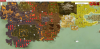
Prntscrn

Copy this into your browser console:
JavaScript:
var cellElement
var coord = []
var path = ''
let ups = 0
let lefts = 0

document.onkeydown = checkKey;

function checkKey(e) {
    let str = ''
    let changeMap = ''

    e = e || window.event;

    let newCoord = coord.slice();
    if (e.key == 'w') {
        ups++
        newCoord[1]--;
        str = '▲'
        changeMap = 'top'
    }
    else if (e.key == 's') {
        ups--
        newCoord[1]++;
        str = '▼'
        changeMap = 'bottom'
    }
    else if (e.key == 'a') {
        lefts++
        newCoord[0]--;
        str = '◄'
        changeMap = 'left'
    }
    else if (e.key == 'd') {
        lefts--
        newCoord[0]++;
        str = '►'
        changeMap = 'right'
    }
    else if (e.key == 'f') {
        console.log(`MAX_PODS = 95\nELEMENTS_TO_GATHER = {}\n\nfunction move()\n\treturn {\n\t`+path+`}\nend`)
    }

    path += '\t{ map = "'+coord[0]+','+coord[1]+'", gather = true, changeMap = "'+changeMap+'" },\n\t'


    if (cellElement) {
        cellElement.style.borderColor = 'green'
        let prev = cellElement
        cellElement = prev.cloneNode(true)
        cellElement.style.borderColor = 'green';
        cellElement.style.marginLeft = -(prev.offsetWidth * lefts) + 'px'
        cellElement.style.marginTop = -(prev.offsetHeight * ups) + 'px'
        prev.innerHTML = str
        prev.style.display = 'flex'
        prev.style.alignItems = 'center'
        prev.style.justifyContent = 'center'
        prev.style.color = 'green'
        prev.style.zIndex = 99999
        prev.parentNode.appendChild(cellElement)
    }

    coord = newCoord
}

function selectCoord() {
    console.log(document.getElementById('mapContainer').dataset)
    if (coord.length > 0) return
  
    let zoom = document.getElementById('mapContainer').getAttribute('data-zoom')
    console.log('zoom: ' + zoom)
    let curr = document.querySelector('.leaflet-marker-icon.rectangleOnMap')
    if (!cellElement) {
        cellElement = curr.cloneNode(true)
        cellElement.style.borderColor = 'red';
        curr.parentNode.appendChild(cellElement)
    }
    return coord = document.getElementById('mapCoordinates').innerHTML.split(', ').map(num => parseInt(num))
}

document.getElementById('mapContainer').addEventListener('click', () => selectCoord())
console.log('> Flatybot route creation tool loaded successfully!')


I very much advise you to use this tool in conjunction with FlatyCreator.
I have written it because I feel these features need to be added to FlatyCreator as they greatly improve efficiency.
 
  • Like
  • Love
Reactions: deredere222, rogerangell, uberraccer and 7 others
A

Ancko

Level 2
Level 1
Jul 3, 2011
27
3
904
I was looking for a way to get the cellid of a door, i found that. Association u'r the best ! Thx man.
 
S

spirotech

Level 2
Level 1
May 15, 2021
11
0
2
27
Tres beau travail, merci
 
D

dvlsmind

Level 1
Jan 12, 2022
8
7
23
28
I've tryied, but doesn't work. Return's this error,
1672355895447
 
DeruMa

DeruMa

Level 2
Level 1
Mar 12, 2023
13
0
2
27
Discord
DeruMa#9455
🗺 Dofus-Map FlatyCreator
quick route creation


Hello!

I've written a simple, quick browser script to allow the creation of Flatybot scripts via the popular Ce lien n'est pas visible, veuillez vous connecter pour l'afficher. Je m'inscris! website.

The pros and cons of using this tool instead of FlatyCreator are:

Pros:
- much faster route creation
- easy to see where the resources you need are
- it will not break when Dofus has an update

Cons:
- there are bugs!
- you cannot edit routes
- you cannot load routes
- you can only create harvest routes (no banking, no lost, no phoenix)
- you cannot use all available functions (e.g. move in a random direction)
The script was written very quickly and is not a finished product, thus you need to use it exactly as intended!

Instructions:
1. Open up the website Ce lien n'est pas visible, veuillez vous connecter pour l'afficher. Je m'inscris!
2. Select any resources you might need
3. Open up the javascript console (on Google Chrome you must press F12)
4. Copy the script into the console and press enter
5. Press on the cell where you would like to begin your route
6. Use W,A,S,D to add paths
7. Once you are happy with the route, press F. The lua script will be printed to the browser console - make sure you are focused on the document and not the console when you press F! Copy the script into a .lua file and make any necessary modifications

Notes:
- do NOT zoom in or out once you've begun creating your route. This will mess up the interface. This may be fixed in the future...
- if you make any mistakes during your creation process you must unfortunately start over.
- I've not put in any time into making the UI look nice, so sorry about that c;


Copy this into your browser console:
JavaScript:
var cellElement
var coord = []
var path = ''
let ups = 0
let lefts = 0

document.onkeydown = checkKey;

function checkKey(e) {
    let str = ''
    let changeMap = ''

    e = e || window.event;

    let newCoord = coord.slice();
    if (e.key == 'w') {
        ups++
        newCoord[1]--;
        str = '▲'
        changeMap = 'top'
    }
    else if (e.key == 's') {
        ups--
        newCoord[1]++;
        str = '▼'
        changeMap = 'bottom'
    }
    else if (e.key == 'a') {
        lefts++
        newCoord[0]--;
        str = '◄'
        changeMap = 'left'
    }
    else if (e.key == 'd') {
        lefts--
        newCoord[0]++;
        str = '►'
        changeMap = 'right'
    }
    else if (e.key == 'f') {
        console.log(`MAX_PODS = 95\nELEMENTS_TO_GATHER = {}\n\nfunction move()\n\treturn {\n\t`+path+`}\nend`)
    }

    path += '\t{ map = "'+coord[0]+','+coord[1]+'", gather = true, changeMap = "'+changeMap+'" },\n\t'


    if (cellElement) {
        cellElement.style.borderColor = 'green'
        let prev = cellElement
        cellElement = prev.cloneNode(true)
        cellElement.style.borderColor = 'green';
        cellElement.style.marginLeft = -(prev.offsetWidth * lefts) + 'px'
        cellElement.style.marginTop = -(prev.offsetHeight * ups) + 'px'
        prev.innerHTML = str
        prev.style.display = 'flex'
        prev.style.alignItems = 'center'
        prev.style.justifyContent = 'center'
        prev.style.color = 'green'
        prev.style.zIndex = 99999
        prev.parentNode.appendChild(cellElement)
    }

    coord = newCoord
}

function selectCoord() {
    console.log(document.getElementById('mapContainer').dataset)
    if (coord.length > 0) return
 
    let zoom = document.getElementById('mapContainer').getAttribute('data-zoom')
    console.log('zoom: ' + zoom)
    let curr = document.querySelector('.leaflet-marker-icon.rectangleOnMap')
    if (!cellElement) {
        cellElement = curr.cloneNode(true)
        cellElement.style.borderColor = 'red';
        curr.parentNode.appendChild(cellElement)
    }
    return coord = document.getElementById('mapCoordinates').innerHTML.split(', ').map(num => parseInt(num))
}

document.getElementById('mapContainer').addEventListener('click', () => selectCoord())
console.log('> Flatybot route creation tool loaded successfully!')


I very much advise you to use this tool in conjunction with FlatyCreator.
I have written it because I feel these features need to be added to FlatyCreator as they greatly improve efficiency.
sympa
 
S

Skiipix1.0

Level 3
Level 2
Level 1
Apr 30, 2011
104
2
919
Thank , just remplaced qwerty to numeric pad number

Code:
var cellElement
var coord = []
var path = ''
let ups = 0
let lefts = 0

document.onkeydown = checkKey;

function checkKey(e) {
    let str = ''
    let changeMap = ''

    e = e || window.event;

    let newCoord = coord.slice();
    if (e.key == '8') {
        ups++
        newCoord[1]--;
        str = '▲'
        changeMap = 'top'
    }
    else if (e.key == '2') {
        ups--
        newCoord[1]++;
        str = '▼'
        changeMap = 'bottom'
    }
    else if (e.key == '4') {
        lefts++
        newCoord[0]--;
        str = '◄'
        changeMap = 'left'
    }
    else if (e.key == '6') {
        lefts--
        newCoord[0]++;
        str = '►'
        changeMap = 'right'
    }
    else if (e.key == 'f') {
        console.log(`MAX_PODS = 95\nELEMENTS_TO_GATHER = {}\n\nfunction move()\n\treturn {\n\t`+path+`}\nend`)
    }

    path += '\t{ map = "'+coord[0]+','+coord[1]+'", gather = true, changeMap = "'+changeMap+'" },\n\t'


    if (cellElement) {
        cellElement.style.borderColor = 'green'
        let prev = cellElement
        cellElement = prev.cloneNode(true)
        cellElement.style.borderColor = 'green';
        cellElement.style.marginLeft = -(prev.offsetWidth * lefts) + 'px'
        cellElement.style.marginTop = -(prev.offsetHeight * ups) + 'px'
        prev.innerHTML = str
        prev.style.display = 'flex'
        prev.style.alignItems = 'center'
        prev.style.justifyContent = 'center'
        prev.style.color = 'green'
        prev.style.zIndex = 99999
        prev.parentNode.appendChild(cellElement)
    }

    coord = newCoord
}

function selectCoord() {
    console.log(document.getElementById('mapContainer').dataset)
    if (coord.length > 0) return
  
    let zoom = document.getElementById('mapContainer').getAttribute('data-zoom')
    console.log('zoom: ' + zoom)
    let curr = document.querySelector('.leaflet-marker-icon.rectangleOnMap')
    if (!cellElement) {
        cellElement = curr.cloneNode(true)
        cellElement.style.borderColor = 'red';
        curr.parentNode.appendChild(cellElement)
    }
    return coord = document.getElementById('mapCoordinates').innerHTML.split(', ').map(num => parseInt(num))
}

document.getElementById('mapContainer').addEventListener('click', () => selectCoord())
console.log('> Flatybot route creation tool loaded successfully!')